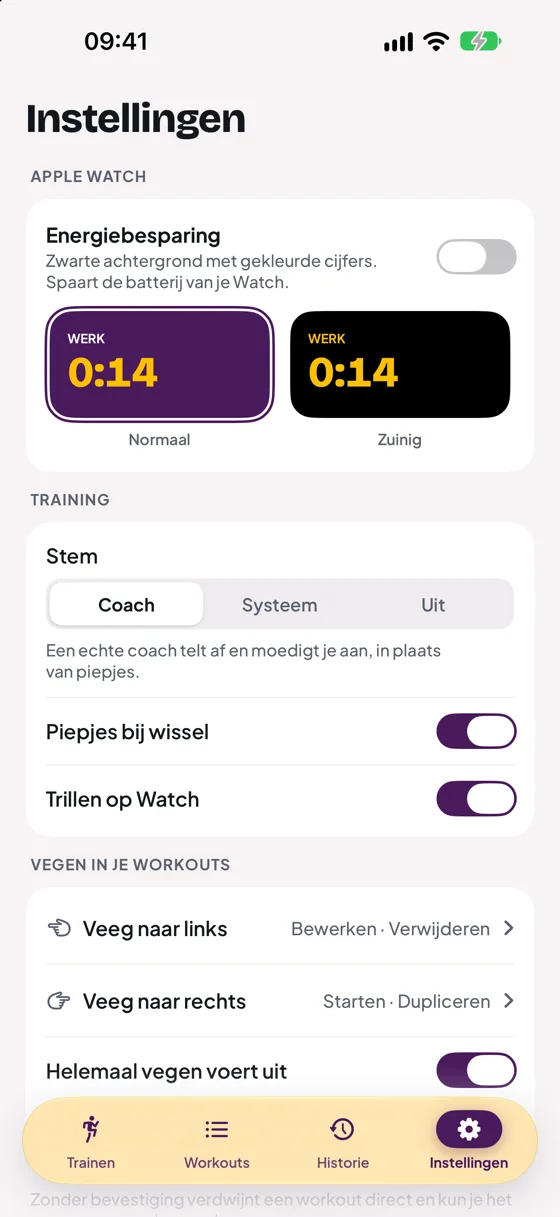
Coach, system voice or off
The voice is off by default, so you hear beeps. In Settings › Training › Voice you choose:
- Coach: a real voice counts down and cheers you on, instead of beeps.
- System: the iOS voice says the same.
- Off: no voice, just beeps.
Turn Beeps on change and Haptics on Watch on or off separately.
What does the coach say?
| Ready? | Just before the first work block |
| Three, two, one | The last 3 seconds of a phase |
| Go! | Start of every work block |
| Rest | Start of the rest |
| Halfway there | Halfway through the workout |
| Last round! | Start of the last work block |
| Cool-down | Start of the cool-down |
| Done, great work! | At the end |
With music or a podcast
Your music keeps playing. When the coach or your own voice says something, the music briefly gets quieter and then louder again.
I can't hear anything
- Check that the speaker at the top right of the timer is on.
- Check that the voice in Settings is not set to Off.
- Turn up your iPhone's volume during the workout.
- With earbuds in, you hear everything through your earbuds.
Still stuck?
Email us and we'll help you out. Tell us which iPhone you have and which version of iOS.