Themes
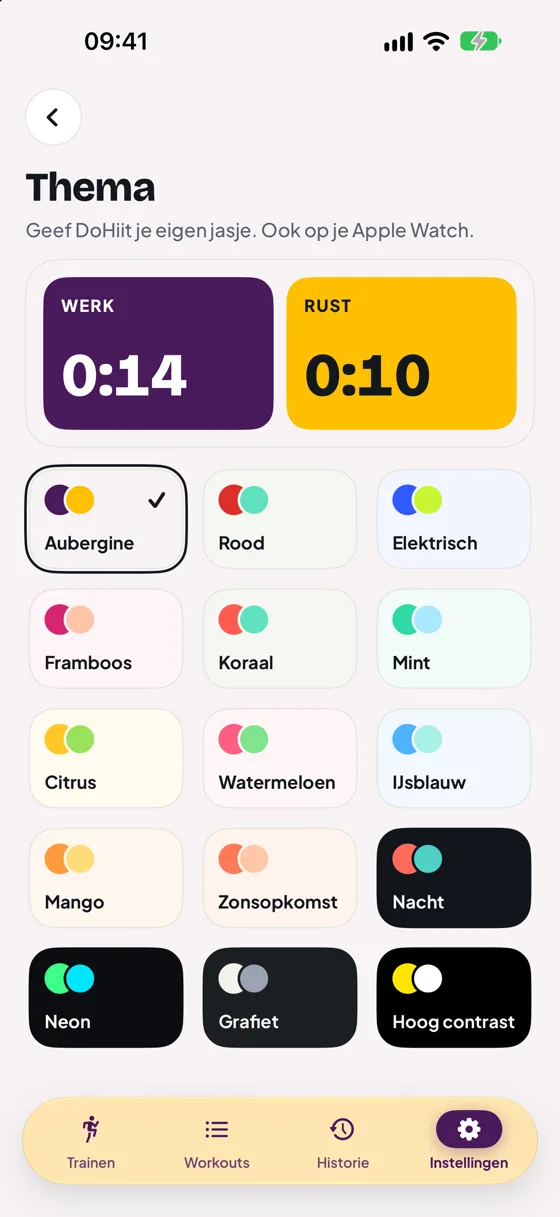
Tap the palette at the top right of Train, or go to Settings › Theme. There are 15 themes. At the top you immediately see how work and rest look. Your theme applies on your Apple Watch too.
Light and dark
DoHiit follows your iPhone’s appearance. If it is set to dark (Settings › Display & Brightness), the app’s screens turn dark too. The timer and the welcome screen always keep their own colours, so you can still recognise the phases.
Setting up swipe actions
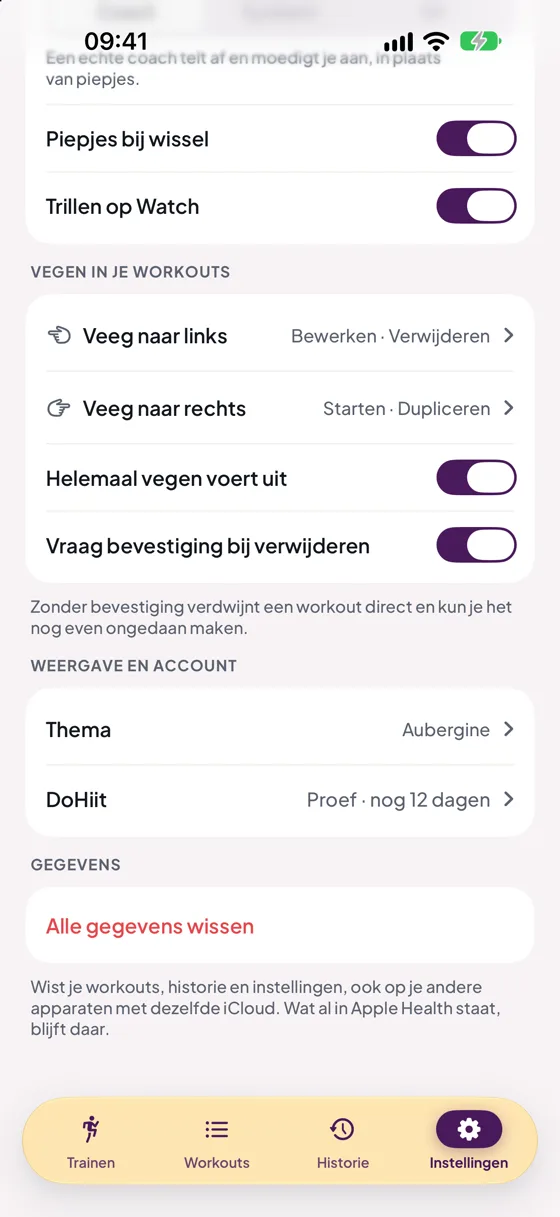
In Settings › Swiping your workouts you choose up to two actions per side: Start, Edit, Duplicate or Delete. Or None if you want nothing on that side.
- Full swipe runs action: swiping all the way runs the outer action straight away.
- Confirm before deleting: off means gone immediately, with a short chance to Undo.
Erase all data
Settings › Erase all data erases your workouts, history and settings, also on your other devices with the same iCloud, and stops your shared links. Whatever is already in Apple Health stays there.
Still stuck?
Email us and we'll help you out. Tell us which iPhone you have and which version of iOS.